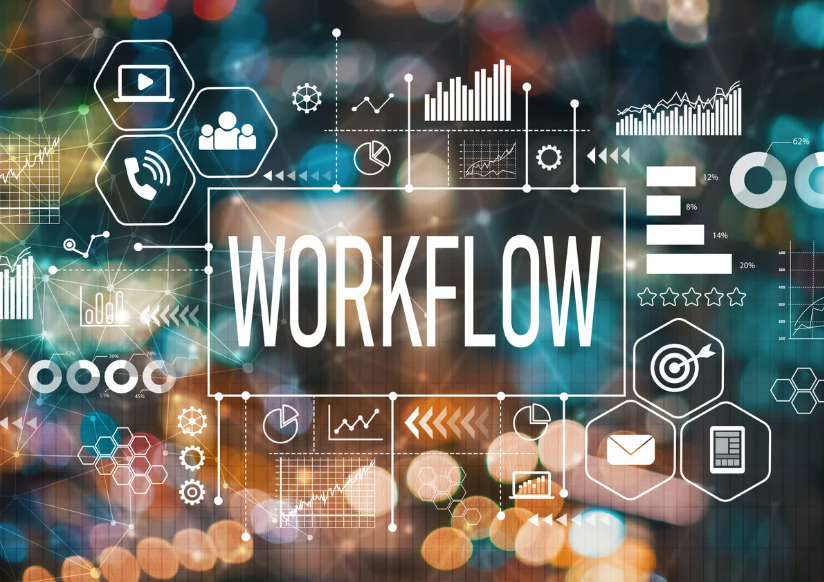


Modern designers work inside increasingly complex digital environments. Creative workflows now involve design platforms, communication apps, AI systems, cloud storage tools, plugins, project management software, collaboration platforms, and automation systems all operating at once. While technology offers powerful capabilities, many creatives eventually feel overwhelmed by the sheer number of tools they manage every day. That is why more professionals now search for practical ways to streamline design tools and create more efficient workflows.
The problem is not technology itself. Most creative tools genuinely improve productivity when used correctly. However, excessive complexity often reduces efficiency instead of improving it. Designers frequently lose time switching between apps, searching for files, updating systems, and managing notifications rather than focusing on meaningful creative work.
As the design industry evolves, workflow simplicity becomes increasingly valuable. Creatives who build organized and intentional systems usually work faster, communicate more clearly, and experience less mental fatigue throughout the day.
Fortunately, improving workflow efficiency does not always require learning new software. In many cases, removing unnecessary complexity creates the biggest productivity gains. Designers who streamline systems thoughtfully often discover they can accomplish more with fewer distractions and lower stress levels.
Importantly, streamlined workflows support creativity directly. When tools work smoothly together, designers regain more time and mental energy for problem-solving, experimentation, and strategic thinking.
Why Designers Often Experience Tool Overload
The creative industry changes rapidly, and designers constantly encounter new platforms promising faster workflows and better results. Consequently, many professionals adopt tools impulsively without evaluating whether they truly improve productivity.
The desire to streamline design tools often begins after creatives notice increasing workflow fatigue. Designers may feel busy all day while struggling to complete meaningful work efficiently.
One major issue involves overlapping functionality. Many apps perform nearly identical tasks, yet designers continue using several simultaneously. This creates unnecessary complexity and fragmented workflows.
Constant updates additionally contribute to frustration. Notifications, interface redesigns, plugin conflicts, and compatibility problems interrupt concentration regularly.
Remote work has intensified these challenges too. Designers now rely heavily on collaborative systems, messaging apps, shared drives, and cloud-based platforms throughout the day.
Artificial intelligence has further expanded workflow complexity. While AI tools improve efficiency in many cases, creatives sometimes integrate too many automation systems without clear structure.
Another hidden problem involves mental clutter. Every additional tool introduces new settings, interfaces, shortcuts, and organizational systems that require cognitive energy to manage.
Importantly, excessive tool usage often weakens creative focus directly. Constant context switching reduces concentration and interrupts deeper design thinking.
How Simplified Workflows Improve Creativity
Many designers assume productivity depends on adding more technology continuously. However, creative performance often improves when workflows become simpler and more intentional.
Designers who streamline design tools usually experience fewer distractions and smoother concentration during creative sessions. Reduced workflow friction helps maintain momentum and supports deeper focus.
Simplified systems also reduce decision fatigue. When fewer apps compete for attention, designers spend less mental energy managing workflows and more energy solving creative problems.
Another important advantage involves speed. Organized workflows make files easier to locate, communication easier to manage, and repetitive tasks easier to complete consistently.
Stress levels often decrease as well. Designers working within cluttered ecosystems frequently feel mentally exhausted even during relatively small projects. Cleaner systems support calmer and more sustainable work habits.
Consistency additionally improves. Standardized workflows reduce confusion across projects and make collaboration smoother with clients or team members.
Importantly, simplified workflows create more room for experimentation and innovation. When systems feel manageable, designers often become more willing to explore new ideas creatively.
Evaluating Which Tools Truly Matter
The first step toward efficiency involves identifying which software genuinely improves workflows and which simply adds complexity.
To streamline design tools effectively, designers should evaluate every platform based on practical value rather than popularity or trends.
One useful question involves frequency of use. If a tool rarely supports real projects, it may not deserve a permanent place within the workflow ecosystem.
Overlap should also be analyzed carefully. Many designers unknowingly maintain several apps with nearly identical functionality. Consolidating overlapping systems often improves organization significantly.
Compatibility matters equally. Tools should integrate smoothly with existing workflows rather than creating isolated processes or additional manual tasks.
Another important factor involves learning curves. Some platforms require extensive setup and maintenance before delivering noticeable productivity improvements.
Cost should also be considered strategically. Subscription accumulation can become surprisingly expensive when multiple overlapping tools remain active unnecessarily.
Importantly, designers should focus on outcomes rather than features. The most powerful software is not always the most useful for everyday creative work.
Creating a Centralized Workflow System
Fragmented workflows often create unnecessary stress. Files, revisions, feedback, assets, and communication become difficult to manage when scattered across disconnected platforms.
Designers who streamline design tools successfully usually build centralized systems where projects remain organized and accessible consistently.
Cloud storage organization plays a major role here. Clear folder structures and standardized naming systems reduce confusion and improve collaboration significantly.
Project management tools also help centralize workflows when used intentionally. However, teams should avoid adding excessive complexity through overly detailed systems.
Communication channels benefit from centralization too. Instead of spreading updates across email, messaging apps, and random comments, designers should define consistent communication structures clearly.
Asset libraries additionally improve efficiency. Organized design systems, templates, and reusable components reduce repetitive work while maintaining consistency.
Automation may further strengthen centralized workflows. Simple integrations between apps often eliminate repetitive manual tasks effectively.
Importantly, centralized systems should remain intuitive. Overengineered structures frequently create new forms of complexity instead of solving existing workflow issues.
How Automation Can Save Time
Automation continues transforming creative workflows rapidly. Many repetitive tasks that once required manual effort can now happen automatically through integrations and workflow systems.
Designers who streamline design tools strategically often use automation to reduce low-value administrative work while preserving creative focus.
File backups, cloud syncing, asset exporting, notification routing, and project tracking frequently benefit from automation systems.
AI-assisted tools can additionally speed up brainstorming, resizing, image cleanup, and content organization. These capabilities help designers spend more time on strategic creative decisions.
However, automation should remain selective. Excessive automation may create fragile workflows that break during updates or compatibility changes.
Human oversight remains essential as well. Automated outputs still require quality control and creative judgment to maintain professional standards.
Another important consideration involves workflow clarity. Designers should fully understand how automated systems operate instead of relying blindly on hidden processes.
Importantly, automation works best when supporting already-organized workflows. Disorganized systems rarely improve simply by adding more automated tools.
Managing Notifications and Digital Distractions
Modern creative work often feels interrupted constantly. Notifications from messaging apps, collaboration tools, email systems, project trackers, and software updates compete for attention throughout the day.
To streamline design tools effectively, designers must control distractions intentionally. Continuous interruptions weaken focus and reduce creative quality significantly.
Notification management can create immediate productivity improvements. Disabling nonessential alerts helps designers maintain concentration during important work sessions.
Time blocking also supports stronger focus. Designers often perform better when separating communication time from deep creative work intentionally.
Workspace organization matters too. Clean desktop environments, organized browser tabs, and simplified app layouts reduce mental clutter noticeably.
Another helpful strategy involves limiting active tools during creative sessions. Opening only necessary apps reduces temptation to multitask unnecessarily.
Importantly, designers should recognize that productivity does not equal constant responsiveness. Strong creative work usually requires uninterrupted thinking and sustained concentration.
Why Standardization Improves Efficiency
Inconsistent workflows create confusion and wasted time. Standardization helps designers work more efficiently while improving collaboration across projects and teams.
Professionals who streamline design tools often create repeatable systems for file organization, naming conventions, exports, templates, and communication processes.
Templates save significant time as well. Reusable layouts, components, and project structures reduce repetitive setup work while maintaining consistency.
Design systems additionally improve scalability. Organized icon libraries, typography systems, and color frameworks simplify production and reduce decision fatigue.
Client onboarding processes may also benefit from standardization. Clear workflows improve communication while reducing misunderstandings during projects.
Importantly, standardization should support creativity rather than restrict it. Effective systems remove repetitive friction while leaving room for experimentation and innovation.
Balancing Flexibility With Simplicity
Although simplicity matters greatly, workflows should still remain adaptable. Rigid systems often break when projects, clients, or technologies evolve unexpectedly.
Designers who streamline design tools successfully usually balance structure with flexibility. Organized workflows should support change rather than resist it entirely.
This flexibility becomes especially important during software updates and emerging technology shifts. Designers who build adaptable systems often integrate new tools more smoothly.
Cross-platform familiarity additionally helps. Understanding multiple workflows allows creatives to transition between systems without major productivity loss.
Experimentation should remain part of the process too. Designers need space to test new ideas, plugins, and automation strategies occasionally.
However, experimentation should happen intentionally rather than impulsively. Constantly changing workflows usually reduces efficiency instead of improving it.
Importantly, flexible systems prioritize principles over specific tools. Strong organization, communication, and creative thinking remain valuable regardless of changing software ecosystems.
How Teams Can Build More Efficient Systems
Workflow efficiency becomes even more important within collaborative environments. Poorly organized team systems often create delays, communication problems, and unnecessary frustration.
Teams that streamline design tools effectively usually establish clear expectations regarding file structures, communication channels, project tracking, and software usage.
Shared design systems improve collaboration significantly. Consistent components, libraries, and templates reduce repetitive work while supporting visual consistency across projects.
Training also matters greatly. Teams should ensure everyone understands workflow processes clearly rather than assuming tools alone solve communication problems.
Version management prevents many collaboration issues as well. Organized update systems reduce confusion and improve accountability during large projects.
Importantly, leadership should encourage sustainable workflows rather than constant busyness. Teams often produce stronger creative work when systems support clarity and focus.
The Future of Streamlined Creative Workflows
Technology will continue evolving rapidly. AI systems, collaborative platforms, automation tools, and immersive workflows will likely reshape creative industries repeatedly over the coming years.
Because of this, designers who streamline design tools strategically today may adapt more successfully to future changes.
Interoperability will likely become increasingly important. Creative ecosystems that connect smoothly across platforms may dominate future workflow structures.
Remote collaboration may continue expanding too. Consequently, organized cloud systems and asynchronous communication tools will remain central to modern creative work.
Importantly, future productivity will depend less on using the most software and more on using the right software intentionally.
Designers who stay flexible, organized, and thoughtful about workflow structure will likely maintain stronger efficiency and lower stress over time.
Conclusion
The modern creative industry offers incredible technological possibilities, yet excessive complexity often weakens productivity and creative focus. Designers who streamline design tools intentionally usually experience smoother workflows, clearer communication, and stronger long-term efficiency.
Successful workflows prioritize simplicity, organization, and usability rather than endless software accumulation. Centralized systems, automation, standardized processes, and distraction management all contribute to healthier and more productive creative environments.
Importantly, streamlined workflows support creativity directly. When tools operate smoothly together, designers regain more mental energy for innovation, experimentation, and meaningful design thinking.
As technology continues evolving, the ability to simplify workflows strategically may become one of the most valuable professional skills within the creative industry. Designers who build sustainable systems now will likely adapt more successfully to the changing future of digital work.
FAQ
1. Why Do Designers Experience Workflow Overload?
Too many disconnected apps, notifications, updates, and overlapping tools often create unnecessary complexity and mental fatigue.
2. How Can Creatives Simplify Their Software Ecosystem?
Designers can simplify workflows by removing redundant tools, centralizing systems, and focusing only on high-value software.
3. Does Automation Improve Creative Productivity?
Yes, thoughtful automation reduces repetitive tasks and allows designers to focus more on meaningful creative work.
4. What Makes a Workflow More Efficient?
Clear organization, fewer distractions, standardized systems, and strong communication structures improve workflow efficiency significantly.
5. Should Designers Constantly Try New Creative Tools?
Experimentation helps, but intentional adoption works better than chasing every new platform or productivity trend.